 Tallymile
Automatic mileage tracker for iPhone
Your drives, logged for you.
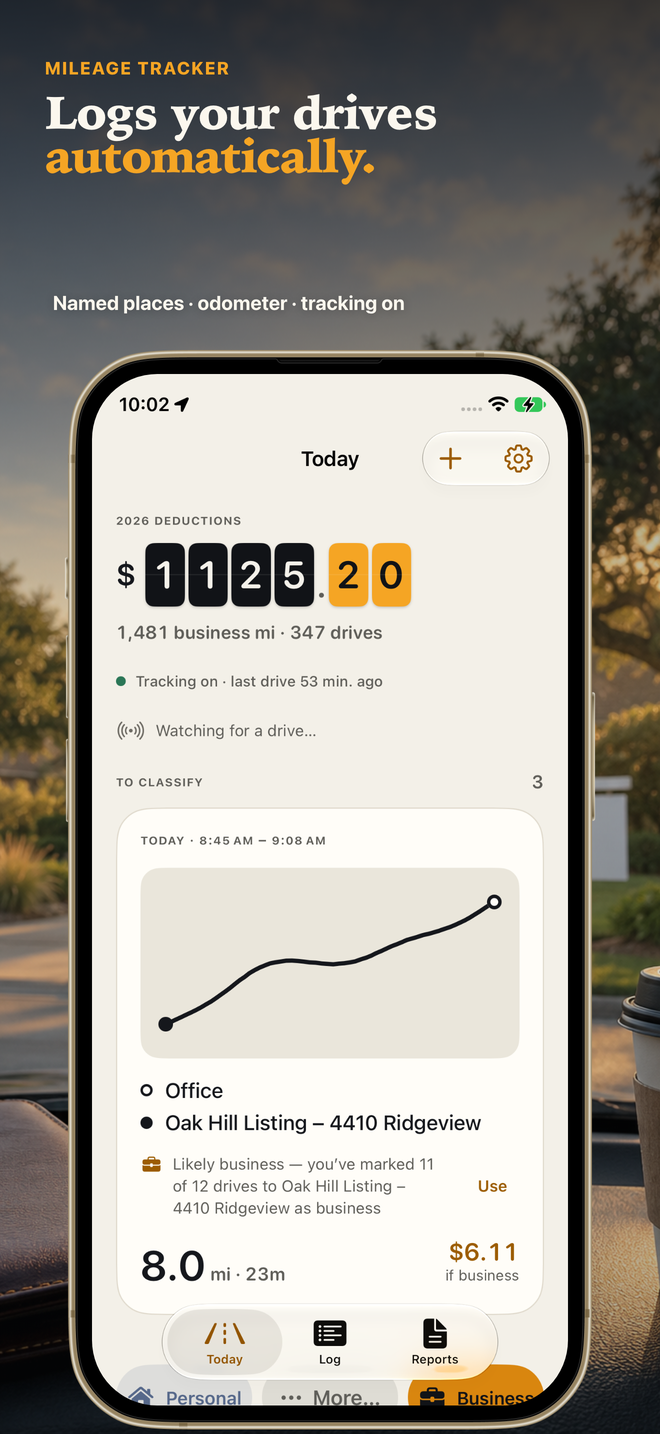
Tallymile logs your drives in the background. Swipe each one as business or personal, and turn the year into an IRS-ready mileage report. No account.
How it works
Allow it once
Choose Always location and Motion access, and optionally pair your car. Tallymile explains each step before iOS asks.
Just drive
Drives appear on their own with named places and the distance. Your phone can stay in your pocket.
Swipe and export
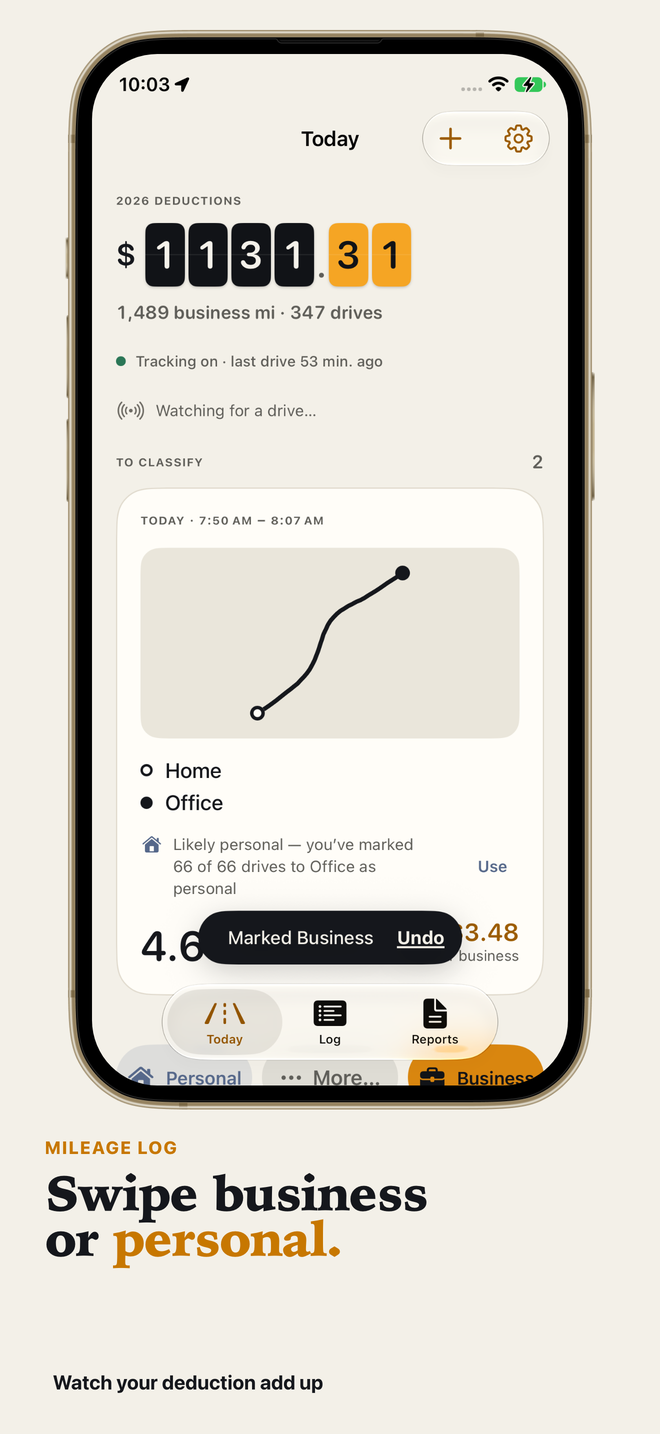
Swipe each drive to business or personal. When you need it, export a PDF or CSV report.
What you get
Automatic detection
Drives are logged in the background. Start can also come from your car’s Bluetooth or CarPlay connection.
Named places
Start and end points show as places, not raw addresses. Name a place once and it stays named.
Swipe to classify
Swipe each drive to business or personal. Rules and on-device suggestions handle the repeat trips.
IRS-ready reports
PDF and CSV logs with date, miles, places and purpose, using the standard mileage rates, including the 2026 mid-year change (72.5¢ to 30 June, 76¢ from 1 July).
Tracking-health check
If permissions or settings could stop detection, Tallymile tells you with a local notification, before a week of drives goes missing.
Watch, widgets and Siri
Classify from the Apple Watch, a Home Screen widget, Control Center or Siri. Start a drive by voice.
Gig shifts
Start and stop a shift for delivery or rideshare work and keep those miles together.
Private by design
No account. Your drives stay on your iPhone and in your private iCloud. No third-party SDKs.
Edit anywhere
Merge, split, fix and undo on the phone. No website needed.
Free to log. Pay only for the paperwork.
Detection and classification never stop being free, so a lapsed subscription never costs you a drive.
Free
- Unlimited automatic logging
- Unlimited swipe classification
- Reports and exports for the current month
- 2 auto-classify rules
- Raw CSV of all drives, always
Pro
- Reports for any period
- Unlimited auto-classify rules
- Multiple vehicles
- Custom employer rate
Yearly, monthly or a one-time lifetime purchase, in the app.
Plans and prices are shown in the App Store before you buy. Subscriptions renew automatically unless cancelled at least 24 hours before the end of the period; manage them in your Apple Account settings.
Questions
Will it drain my battery?
Tallymile uses the iPhone’s low-power motion and significant-location signals to notice a drive, and only records the route while you are actually driving. Impact depends on how much you drive, your iPhone and your iOS settings. Low Power Mode and force-quitting the app can delay or prevent detection; the tracking-health check tells you if something needs attention.
Is my data private?
There is no account and no third-party SDK, and no analytics. Your drives stay on your iPhone and, if you have iCloud turned on, in your own private iCloud (CloudKit private database), which the developer cannot read. Place names come from Apple Maps, so Apple receives the coordinates it needs to look them up. Details are in the privacy policy.
What if a drive is missed?
No automatic detector can promise to catch everything, so Tallymile makes gaps easy to close: add a drive by hand, start one from the widget, Siri, Control Center or the Apple Watch, and the tracking-health check warns you when permissions or settings could cause misses. Drives recovered from motion history are labelled “estimated” in the app and in reports.
I use another mileage app. Can I switch?
Yes. Install Tallymile, turn on Always location and Motion, and it starts logging from that point. Keep your old app’s export for earlier drives, since mileage records for past periods are still yours to keep.
Is it IRS-ready? Is it tax advice?
Reports include what the IRS asks you to record for each trip: date, miles, places and business purpose, with the standard mileage rate applied (including the 2026 mid-year change). You choose the purpose of each drive and you are responsible for your own tax return. Tallymile is not tax advice; check with a qualified tax professional.
What do I get for free?
Unlimited automatic logging and classification, plus reports and exports for the current month. A raw CSV of all your drives is always free. Pro adds reports for any period, unlimited auto-classify rules, multiple vehicles and a custom employer rate.
Which iPhones does it need?
iPhone with iOS 18 or later. Apple Watch and widgets are optional extras.
Start logging today.
Tallymile is a record-keeping tool and does not provide tax advice. You are responsible for the accuracy and purpose of the drives you report. Detection depends on iPhone permissions, settings and signal, and no automatic tracker can promise to catch every drive. Apple, the Apple logo, iPhone, Apple Watch, CarPlay and App Store are trademarks of Apple Inc.